The board
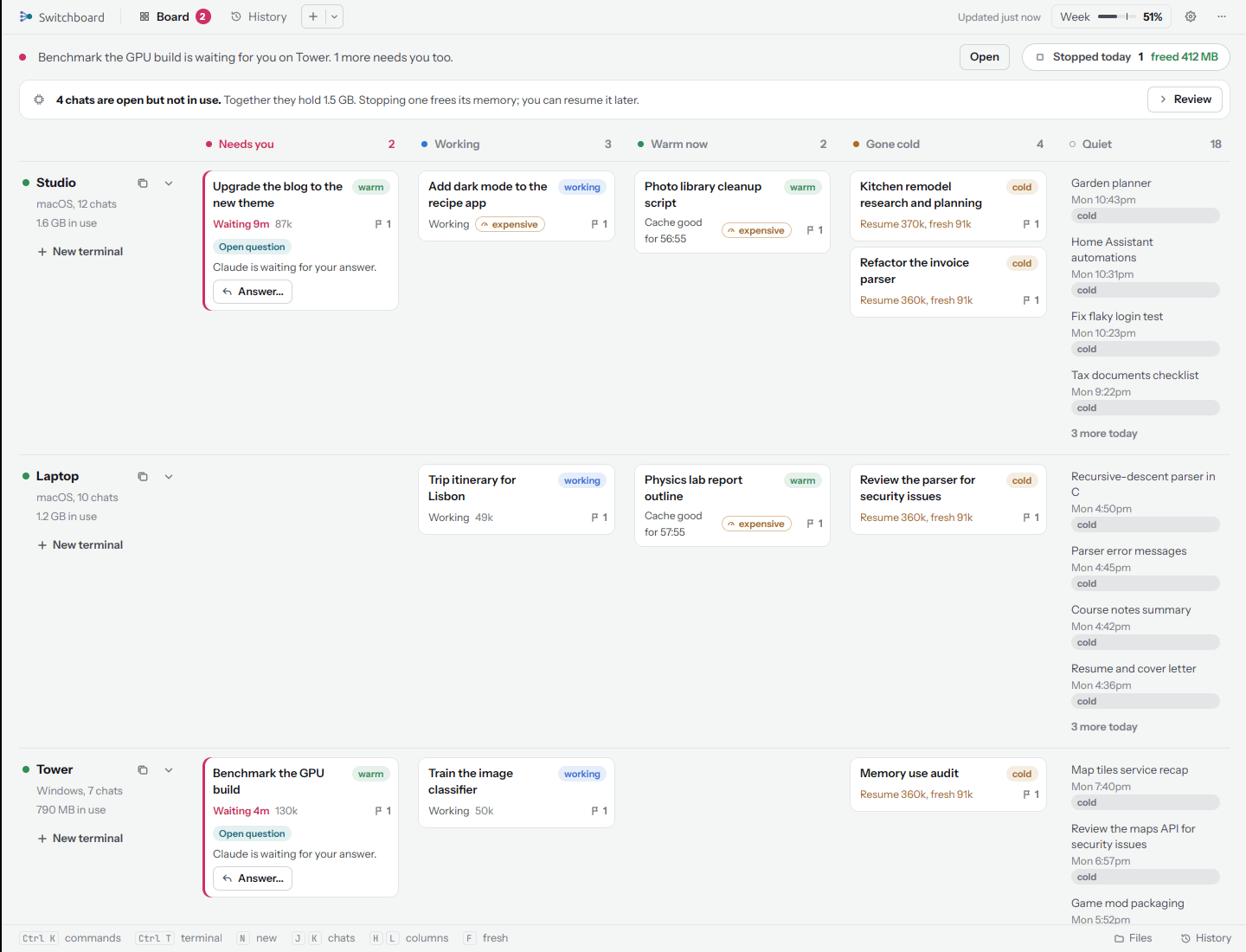
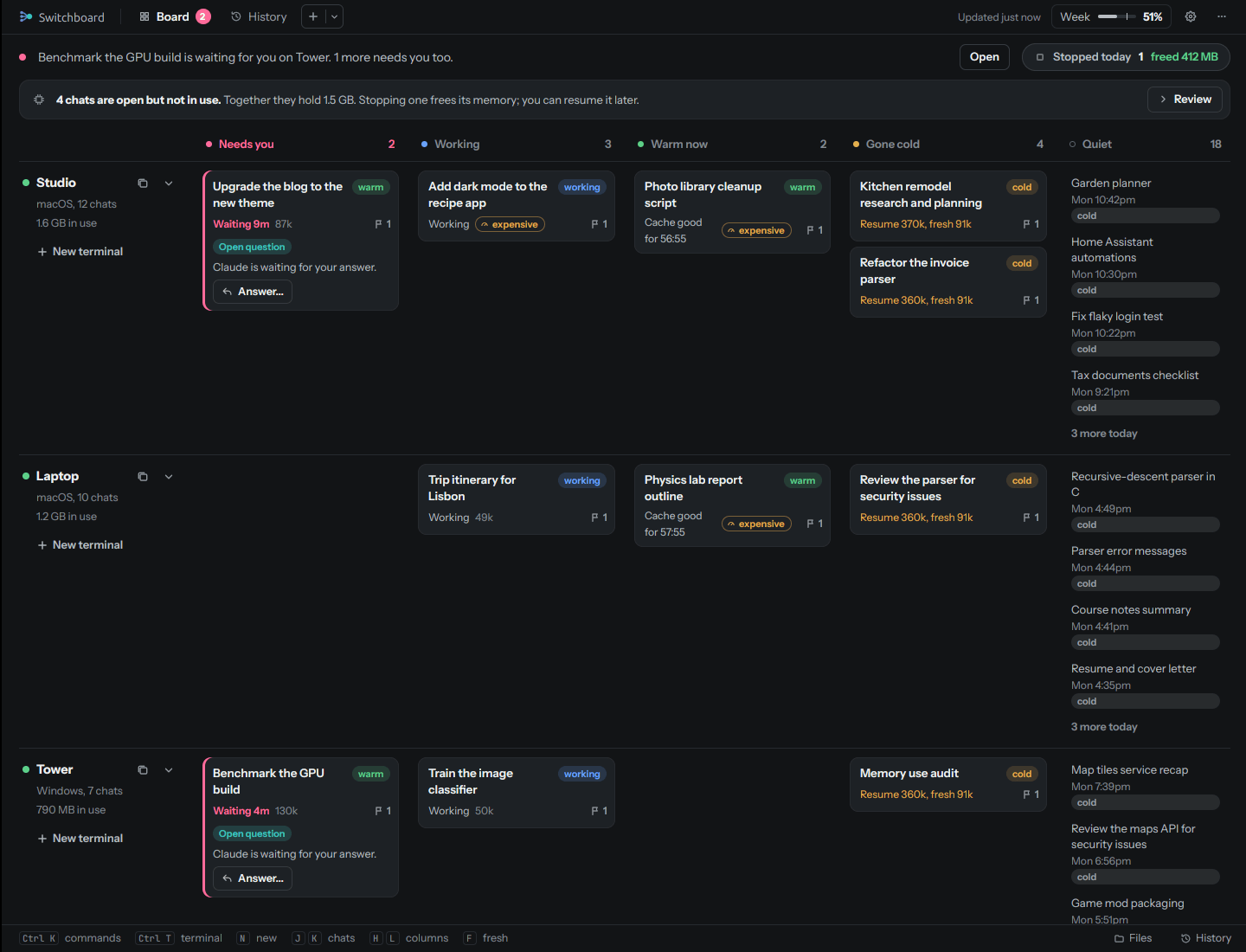
Each computer gets a row. Each chat sits in a column by what it needs from you, and drifts right as it cools.
The columns
| Column | What puts a chat there |
|---|---|
| Needs you | Claude is waiting for an answer, or Switchboard is holding a message you typed. A chat that has waited more than a day is parked: it stays here, muted and at the bottom, and stops counting toward the badge and notifications |
| Working | Claude is working. A chat with no progress for 6 hours says Stalled |
| Warm now | Quiet, with its cache still warm, so a reply is cheap. The one about to go cold is first |
| Gone cold | Quiet, its cache has run out, and it is big (150k tokens or more), so the next message reads it all again |
| Quiet | Everything else from the last two days, one line each, newest first: small chats gone cold (with a cold pill), chats whose cache isn't known yet, stopped chats. Up to 12 per computer; the column grows to fit them and never scrolls. Older ones, and any past 12, are in History (N more in History) |
The server decides each chat's state once, and the board, the terminal tabs, the details and the iPhone all show that same answer. What warm and cold mean
A card
- The name, its tag (UltraCode, Max effort), its tab group's dot, and a star.
- One line for where it stands: "Waiting 14m", "Message on hold", "Cache good for 4:12" (amber in the last minute), "Resume 290k, fresh 91k" for a cold chat, "Idle", "Stopped to free memory".
- expensive on a chat of 150k tokens or more, or re-reads 312k once it's cold (outside Gone cold, where the status line already says it).
- The flags button at the right edge: how many launch flags it has (model, effort, Chrome, permissions...). Click it to change them.
- Gray text with "As of 2m ago" when its computer hasn't reported for 45 seconds. Old information looks old.
Click a card to open its details on the right. Double-click it to open its terminal. Right-click it for every action, each with what it would cost.
Answer from the board
A chat in Needs you shows what Claude is asking, with a tag for the kind of question:
| Tag | What you get |
|---|---|
| Choose | Claude's options and the one it recommends. When there is a clear pick, one click on the card sends it |
| Questions | One row of choices per question, or type your own |
| Do this, then confirm | Numbered steps, Done, and Hit a problem... |
| Fix setup | A button that fixes it, like restarting the chat with Chrome |
| Open question | A box to type your answer |
The card's button answers right away when it can. Otherwise Answer... opens the details with the full controls, where you can also untick any of Claude's assumptions that are wrong. Send opens the chat's terminal and types your answer in.
Where the question comes from: Claude Code's own question to you, when it asked one. Otherwise, with Summarize waiting chats on (Settings, AI and your Claude setup), Claude sums up what the chat's last message asks; with it off, the card shows the chat's own words.
The top line
Above the board, one line tells you what to look at first, in this order: a chat that needs you; a big chat about to go cold ("goes cold in 3 min. Reply soon to keep it cheap"); usage burning faster than usual; the 5-hour window or the week running high; otherwise how the week is going. Its button (Open, Reply now, Plan details) takes you there.
A computer's row
The row's label shows the computer's system and how many chats it has, how much memory Claude is using there, and what it can do when it shares that (Xcode, an Android SDK, a GPU). New terminal starts a new chat on that computer. An offline computer says so, and its chats come back when it does.
Tidy up
Chats that sit open and do nothing still hold memory. When some have been idle for days, a strip under the top line says N chats are open but not in use, with how much memory they hold. Review lists them; Stop each one, Stop all, Keep the ones you want, or Not now.
Nothing stops by itself
Switchboard only suggests. A chat stops when you click Stop (twice: the first click turns into Confirm stop). The one exception is the budget's hard limit, if you turn it on.
What it suggests: background chats idle for 3 days, ones that say they're working but have done nothing for 12 hours, chats replaced by a newer one or archived in the Claude app, and leftover Claude processes with no chat. Never a chat you marked Keep running, and never one open in a terminal tab, even while the app is closed.
A stopped chat stays under Stopped today for a day, and Resume brings it back where it was.