Switchboard
One board for the Claude Code chats on all your computers.
See which chats need you, answer them, open their terminals and start new ones, on whichever computer you pick. It runs on your own machines, with no account and no cloud service.
Install Switchboard Download the app
Why it exists
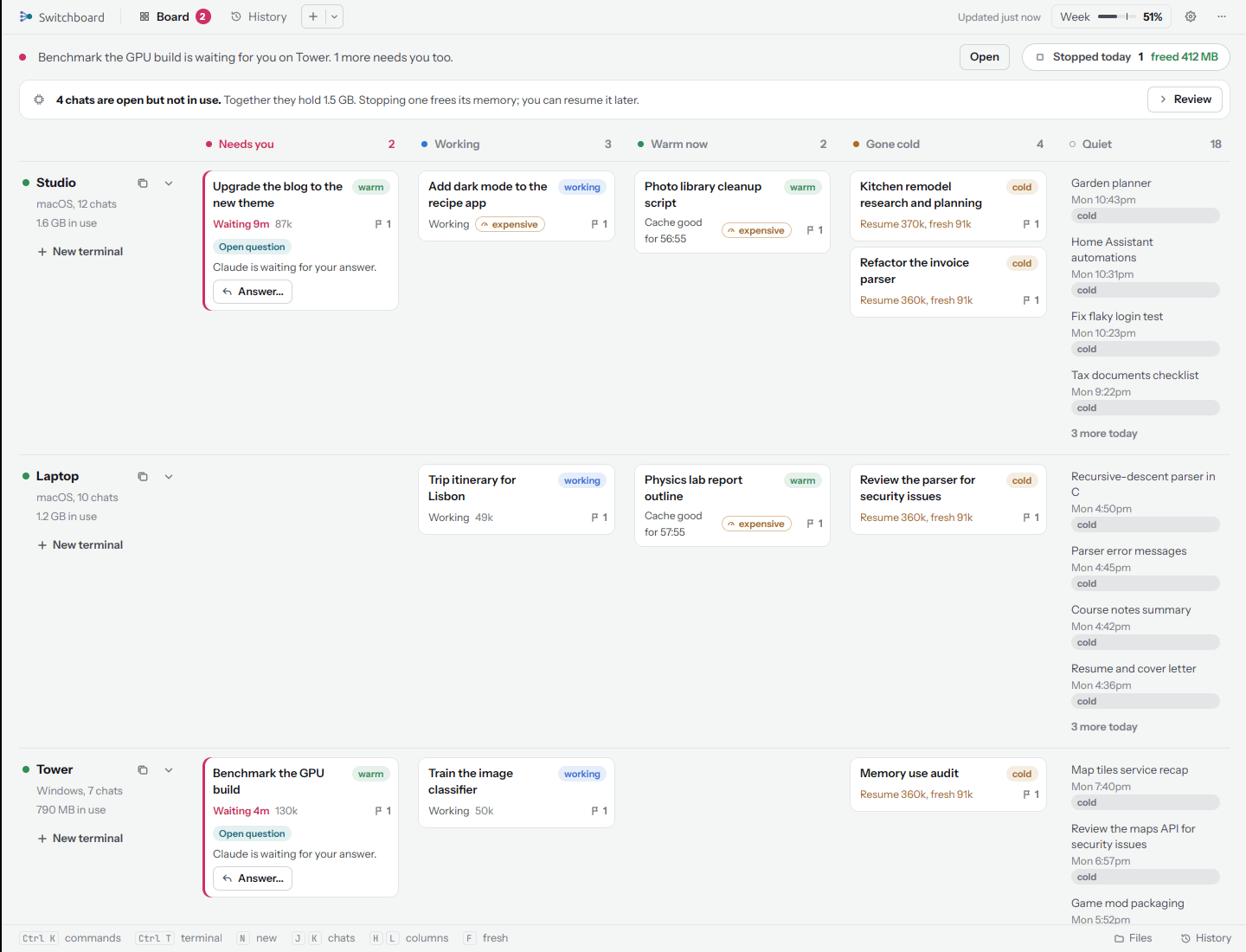
You run Claude Code on a desktop, a laptop and a box in the closet. Each chat lives in its own terminal on its own machine, and the one that is waiting for you is never the one in front of you. Switchboard gathers them all into one window, and tells you what each one would cost to go back to.
-
Everything on one board
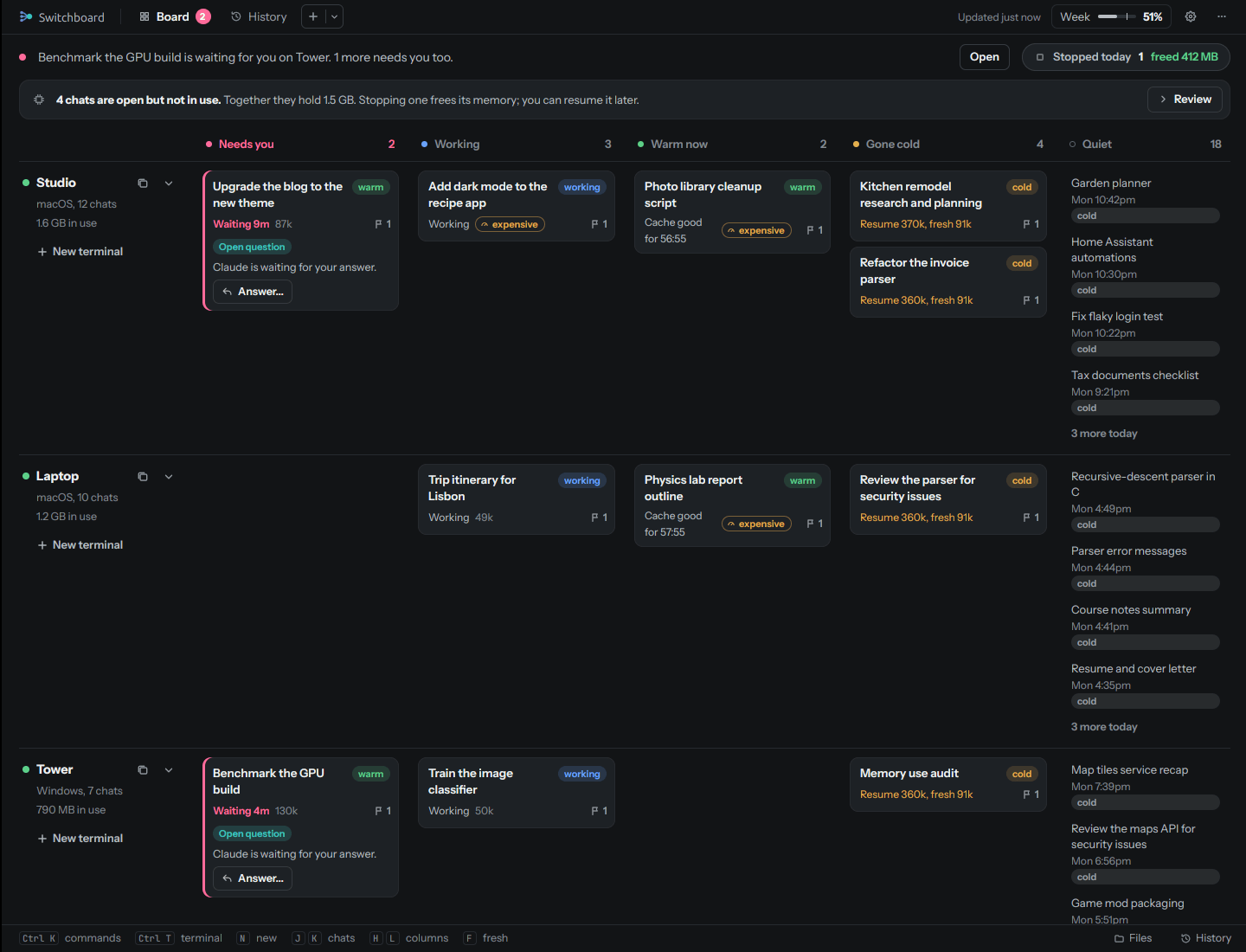
Each computer gets a row, each chat a column by what it needs: Needs you Working Warm now Gone cold. Answer a question right from its card.
-
Know the cost before you go back
A cold chat reads its whole history again on the next message. Switchboard compares resuming it with starting fresh from a summary, and suggests the cheaper one.
-
Terminals from anywhere
Open any chat's terminal in a tab, even when its computer is behind another router. Tabs, groups, names and your own shells too.
-
Start a chat on any computer
Pick the machine (or let Auto pick), the folder, the model and the effort. Switchboard starts the chat there and opens its terminal.
-
History and files
Every chat on every computer, searchable. Browse each computer's folders and start a chat right where you are.
-
Keep an eye on your plan
5-hour, weekly and 4-week usage at a glance, a daily budget that tells you when a day runs over, and a hard limit if you want one.
Set up in three steps
- Install the server on a computer that stays on, with one line:
- Add your computers. Setup shows a one-time code and a line to paste on each Mac, Linux or Windows computer where you use Claude Code. More
- Open the app on the computers you look at the board from. On your home network it finds the server by itself. Get the app
Private by design
-
:material-home-lock-outline:{ .lg .middle } Runs on your own computers
No account to make, nothing to sign up for, and no usage data sent anywhere. Your chats, files and history stay on your network.
-
Signed updates
The app installs only builds signed with the release key, and checks each file's SHA-256 before it installs it. Updates wait until you say so.
Switchboard is free software under the GNU AGPL-3.0. It is not made by or affiliated with Anthropic. Claude and Claude Code are trademarks of Anthropic.