Hear your phone through your Mac's headphones.
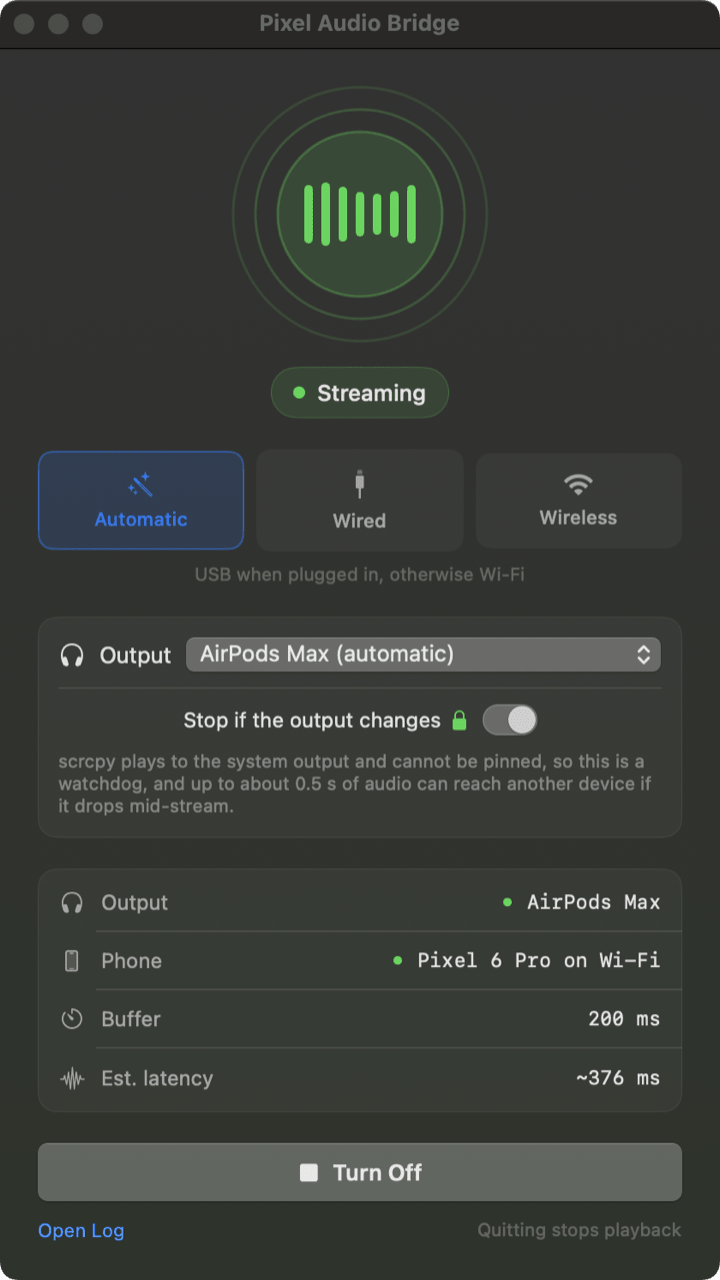
Plays your Android phone's audio out of whatever your Mac is already playing to. Handy when your headphones only hold one connection at a time.
Install
Two commands. The first brings the app and scrcpy, the
second brings adb and is only needed if you do not already have the
Android SDK.
The disk image is the app alone. Drag it to Applications, then run both commands above yourself, since nothing is installed for you on that route.
Builds a universal binary from source. Signs ad hoc, so it is for your own machine rather than for sharing.
Already have Android Studio? adb is at
~/Library/Android/sdk/platform-tools and the app finds it there, so skip the
second command. Your phone also needs
three settings changed before any of this works, and the app tells you
if anything is missing.
How it reacts
The app starts, stops and switches links by itself. Here is what it does in each case.
Audio starts by itself
The app checks your output device twice a second, so it notices yours appear and begins within about a second. You do not click anything, and the window does not need to be open.
Set up your phone
Your phone has to be told it is allowed to talk to your Mac. Three steps, done once, and a cable is optional.
-
Unlock Developer options
Settings, About phone, then tap Build number seven times.
-
Turn on debugging
In Developer options, switch on USB debugging, or Wireless debugging if you have no cable.
-
Approve your Mac
Over USB the phone asks you to trust the computer. Over Wi-Fi it shows a pairing code instead.
Not sure where any of that is?
The getting started guide walks both routes with a picture of every screen you need to find, and answers whether developer mode is really necessary.